From quick drafts to complete documentation systems.
A WYSIWYG editor for Markdown on macOS and Windows.
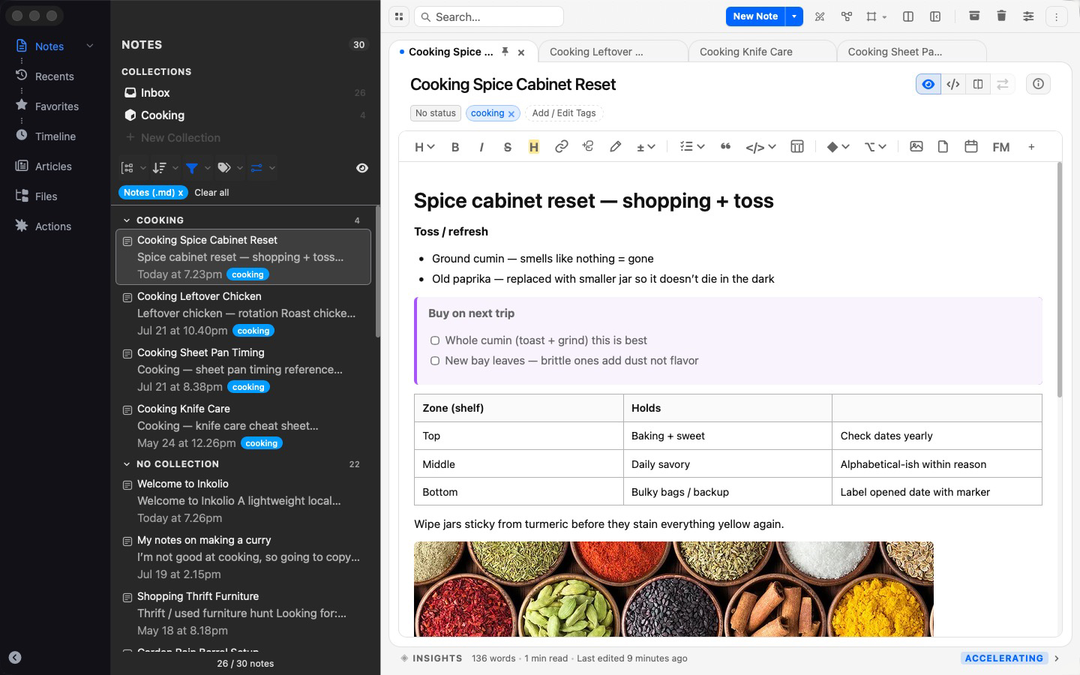
01 — Write Beautifully
Rich authoring and raw Markdown in one editor.
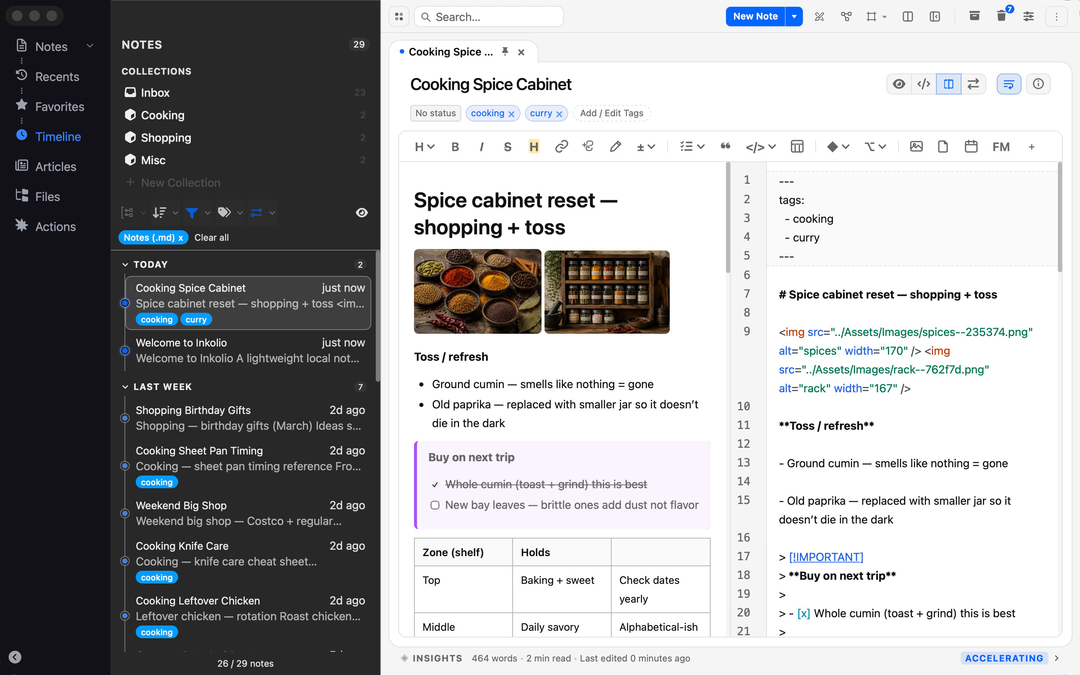
Rich Text or Markdown
Write with live Markdown that reads cleanly while you work, with
quick formatting controls for emphasis, lists, quotes, code, and
tables.
Dual Pane Workspace
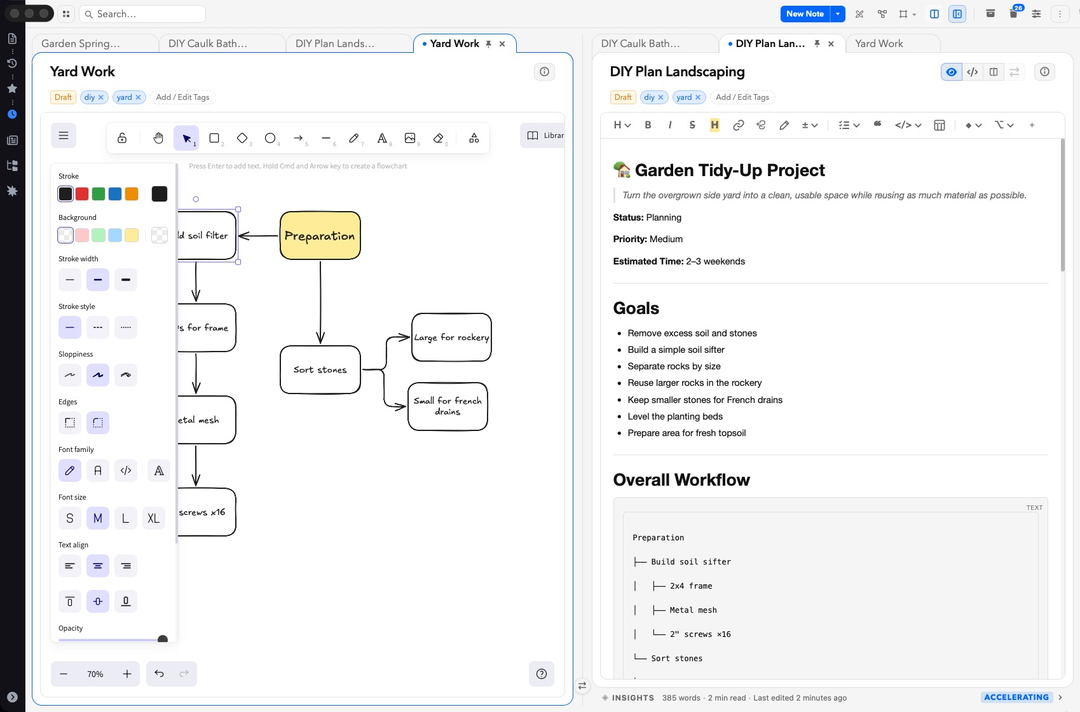
Open documents in tabs, compare drafts side by side, or keep a
reference file next to the piece you're writing. Edit either your
text or Markdown at the same time.
Designed for Focus
Use Reading Mode, Focus Mode, and a document outline to move
through long writing without losing your place.
02 — Organize Your Way
Spaces, Collections, and tags that scale.
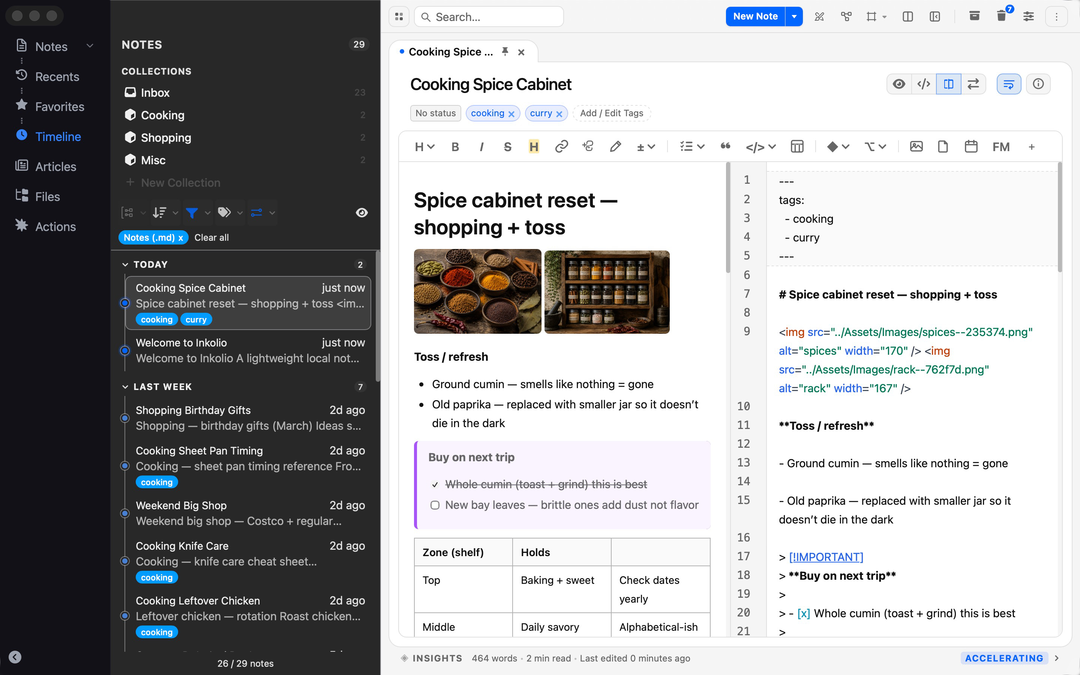
Multiple Views
Browse your work through dedicated views; notes, tasks, actions,
timelines, or bursts, then jump straight back into the file you need.
Powerful Filters & Tagging
Find the right document with tags, dates, collections, custom
filters, and dedicated spaces for focussed authoring.
Built Around Your Workflow
Work from the folders and files you already use, with your
structure shown in the sidebar instead of hidden behind a
proprietary library.
03 — Connect Your Knowledge
See how your ideas fit together.
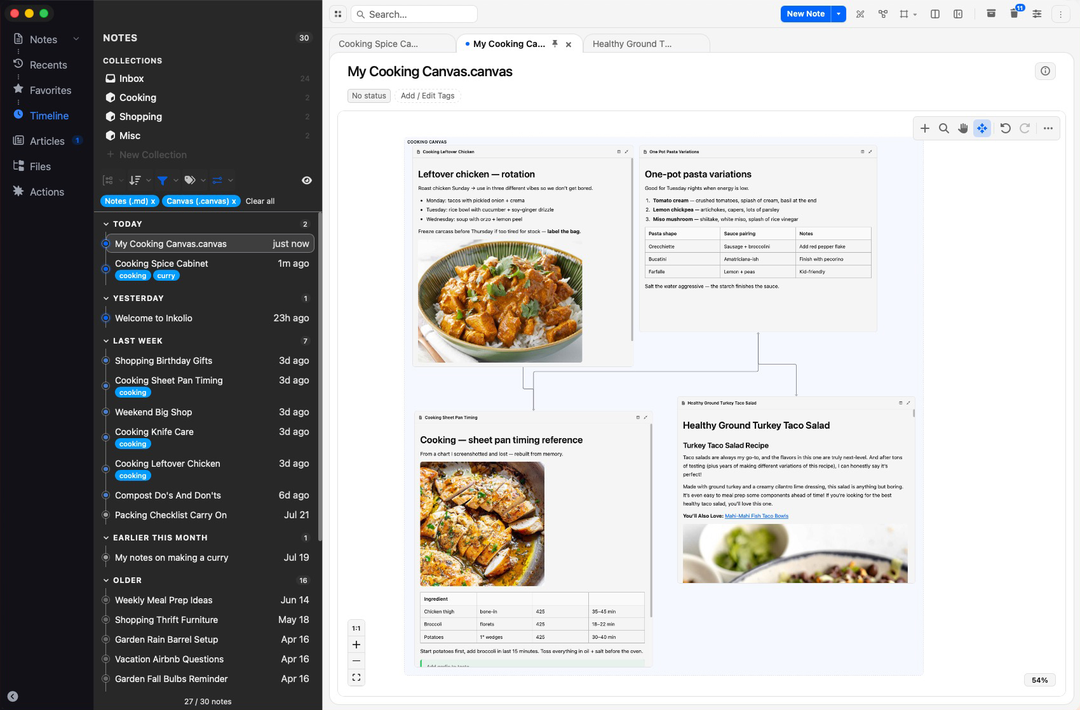
Visual Knowledge Canvas
Arrange notes and link visually to build information boards,
research spaces, and project maps. Edit multiple notes directly in
your canvas and see the bigger picture.
Build Relationships
Create meaningful connections between notes, articles, drawings,
and ideas.
See the Bigger Picture
Follow relationships and discover how ideas fit together.
04 — Own Your Files
Use your existing files right where they are.
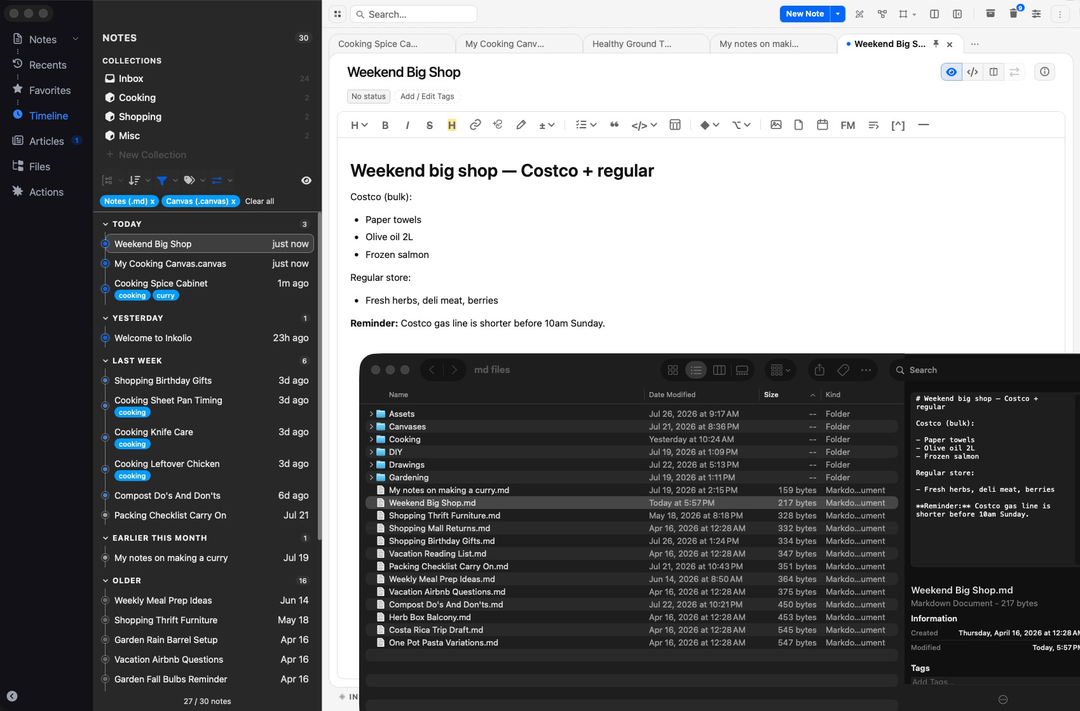
Standard Markdown
Inkolio writes standard Markdown files you can open directly from
your Mac or manage inside a full folder workspace.
Open Formats
Edit Markdown and code files in place, then copy or export your
writing as text, rich text, code, or PDF.
Your Vault, Your Choice
Start with Inkolio's default workspace, open any local folder, or
drag a project in from Finder and keep its structure intact.
05 — Everything You Need
Notes, diagrams, code, articles - work side by side.
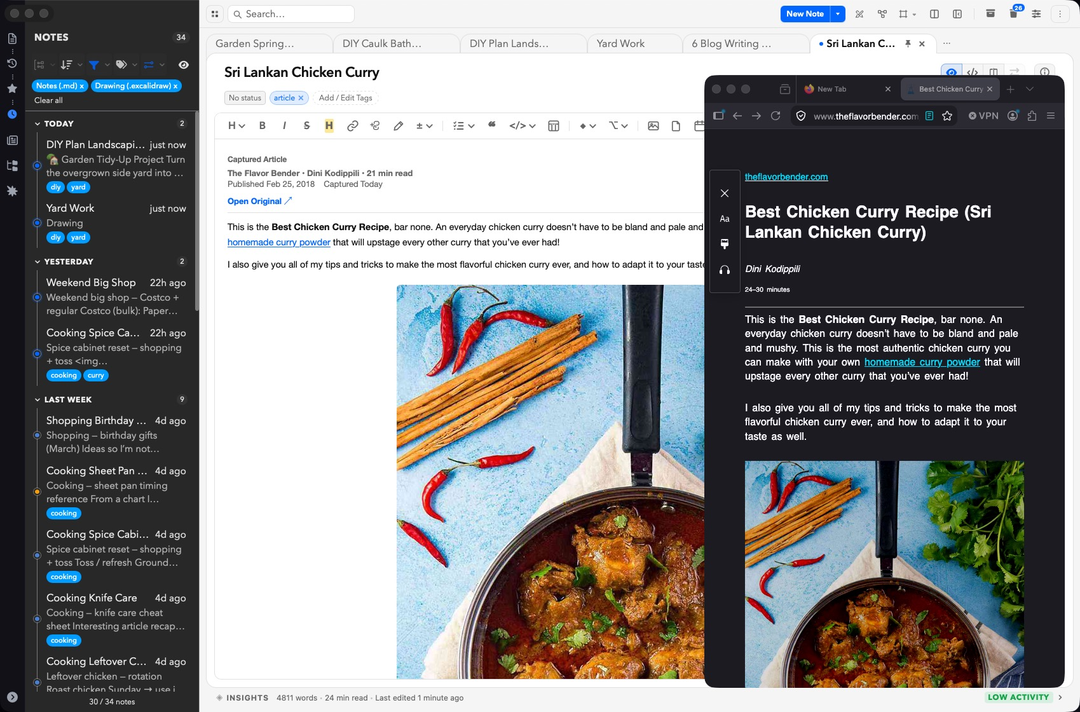
Save Articles
Bring web research into your workspace as readable notes that can
sit beside drafts, outlines, and source material.
Built-in Drawing
Add sketches, diagrams, inline images, and attachments without
leaving the document flow.
Private by Design
No account wall or subscription gate: your documents stay on your
machine, in folders you can inspect and move.
Get early access.
Inkolio is heading to macOS and Windows.
Join the waitlist to hear when it's ready, or join the TestFlight for Mac now.
You're on the list. We'll be in touch.
{{ waitlistError }}